
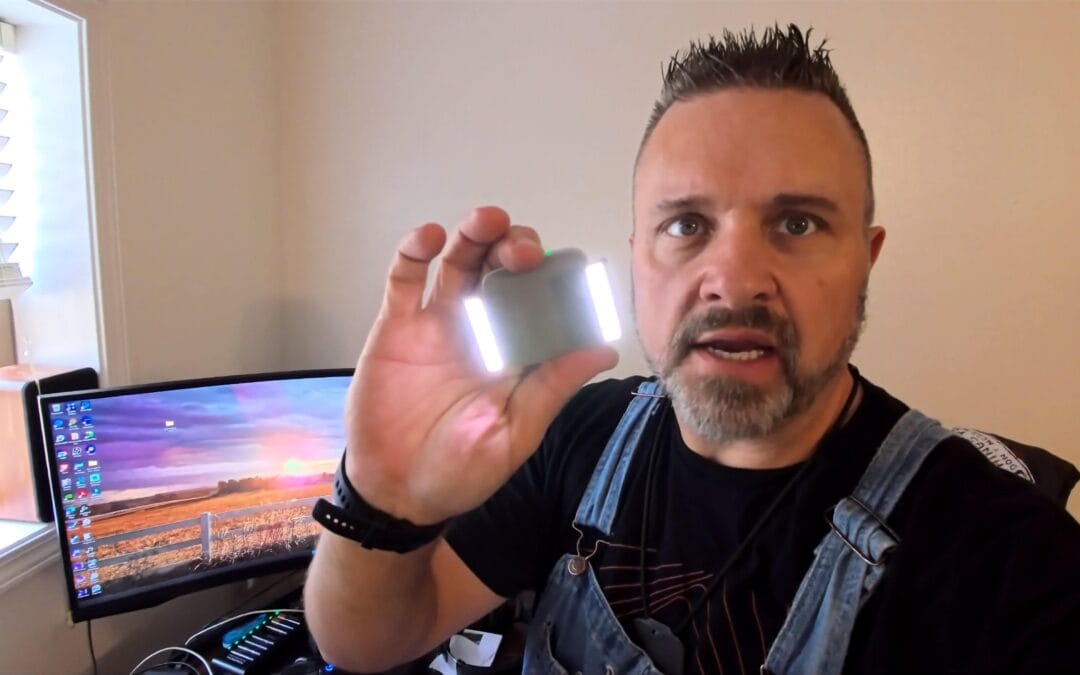
This Tiny DJI Clamp Replaced Our Stock Osmo Mount (1-Year Review)
Hey, it’s Ryan with another Backroad Reviews.
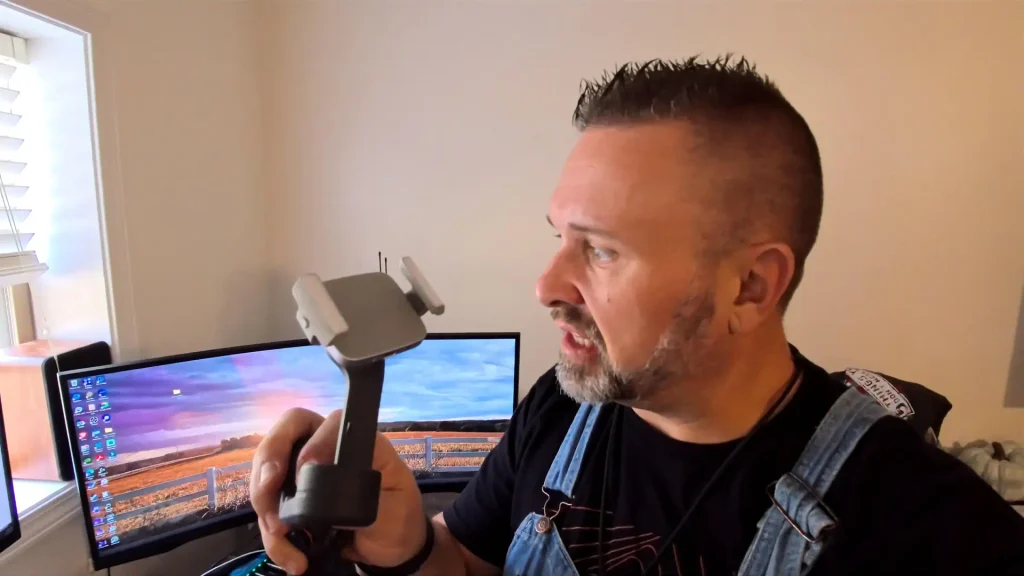
This one lives in the filming-equipment drawer, not the truck toolbox. We shoot product walkarounds, shop installs, and homestead clips on a phone gimbal more than people think. When the barn lights are ugly or the sun has already dropped behind the tree line, a phone camera falls apart fast. The DJI OM Fill Light Phone Clamp is DJI’s official magnetic clamp with two built-in LED bars — the piece that replaces the stock phone clamp on an Osmo Mobile when you need a little light on the subject instead of another cheap ring light on a stick.
Amazon Affiliate Link
https://amzn.to/3SAEmXH
Affiliate links support Backroad Reviews at no extra cost to you. As an Amazon Associate, we earn from qualifying purchases. We do not sell this product.
What This Clamp Actually Is
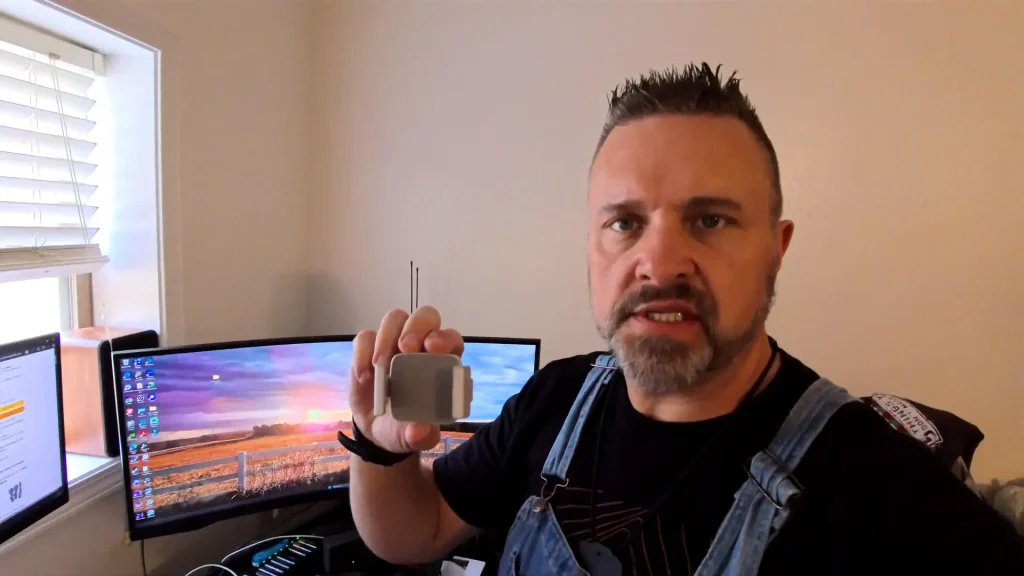
DJI sells this as an accessory, not a standalone studio light. It is a phone clamp first. The arms spring open, grab the phone, and the back of the clamp is a magnet that snaps onto the same magnetic mount as the stock Osmo Mobile clamp.
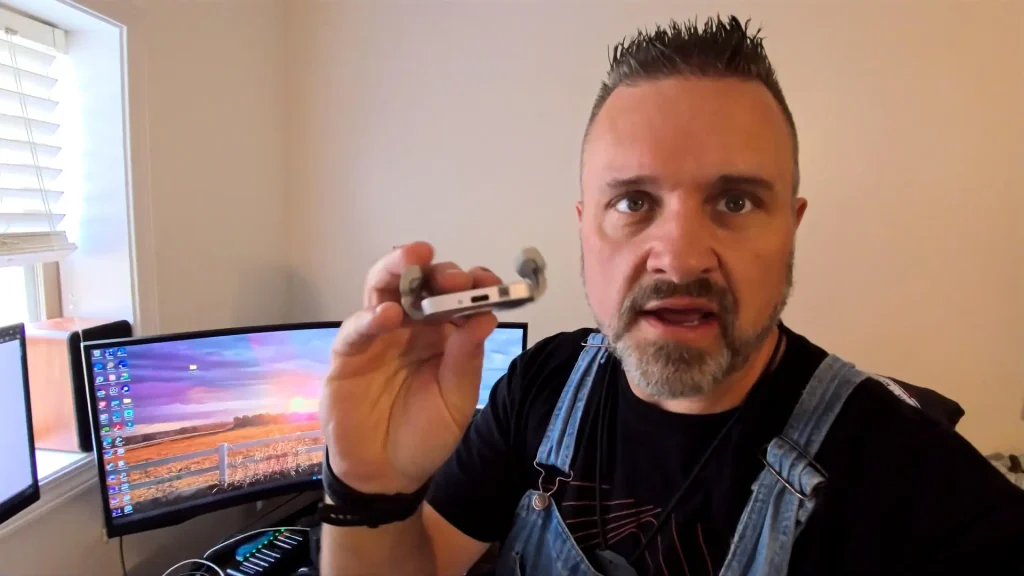
On each side of the body is a short LED bar. Those bars are the whole point. Three brightness steps. Three color temperatures: warm 2700K, neutral 3500K, and daylight 5000K. USB-C on the edge charges the internal battery. DJI lists about 1.5 hours at full blast and about 3 hours on the lowest setting, with a 35-minute charge.
Weight is 73 grams. Folded it is roughly 74 × 53 × 27 mm. Unfolded the arms stretch to about 106 mm, which is enough for most phones we film with.
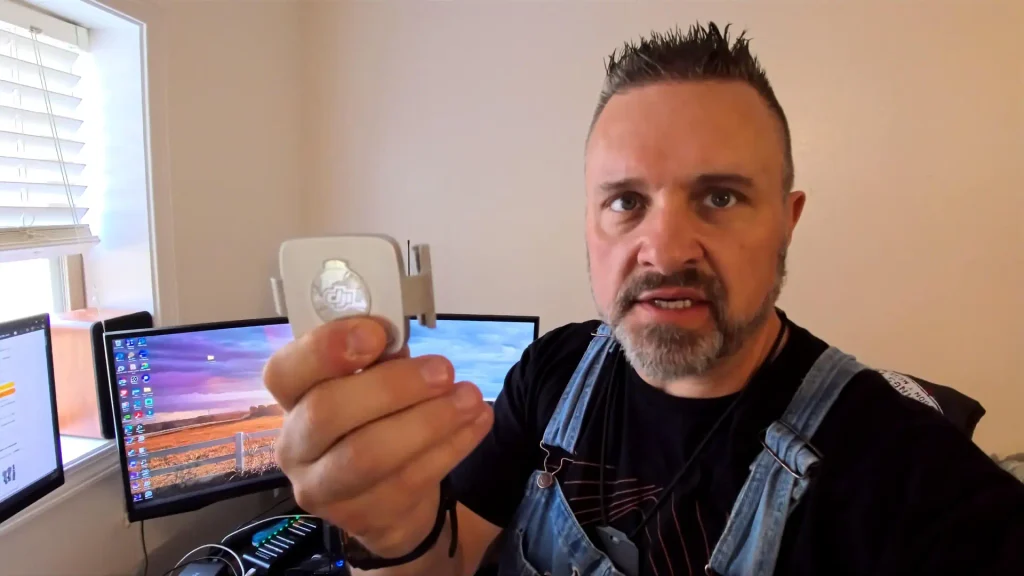
[image: dji-logo-magnetic-mount-on-om-fill-light-clamp.webp]
Magnetic face with the DJI logo. Same snap-on mount as the stock Osmo clamp.
Compatibility
DJI’s current list covers Osmo Mobile 8, Osmo Mobile 7P, Osmo Mobile 7, Osmo Mobile 6, Osmo Mobile SE, and DJI OM 5. Older OM 4 / OM 4 SE units are also in the original spec sheet. If your gimbal uses DJI’s magnetic phone clamp, this one usually drops in as a swap. Confirm the listing if you are on a very new Osmo before you click buy.
Install: Snap It On and Film
There is no app pairing and no extra cable to the gimbal. Charge the clamp. Clip the phone. Magnet it to the Osmo. Hit the button on the clamp to wake the lights, then cycle brightness and color temp.
That is the whole job. We had it on the gimbal in the office in under a minute.
[image: dji-om-fill-light-clamp-usb-c-port-and-arms.webp]
USB-C on the edge. Arms open wide enough for a modern phone in a thin case.
[image: dji-om-fill-light-clamp-mounted-on-osmo-mobile-gimbal.webp]
On the Osmo. Same magnetic click as the stock clamp — no tools, no extra plate.
The Light in Real Use
This is a fill light, not a barn flood. DJI rates it at 20–40 lux at 0.6 meters. In the office that reads as “takes the death shadows off a face” rather than “lights the whole shop.” For talking-head reviews, unboxings, and close product shots after sunset, that is exactly what we needed.
Warm 2700K is the setting we reach for indoors when the overheads are yellow. 5000K matches window light better. Neutral sits in the middle when you do not want the footage to look like a camping lantern or a hospital hallway.
The two side bars wrap the phone instead of sitting as a single blob above the lens. That helps a little with even fill on a face. It will not replace a real key light and a softbox if you are lighting a shop install. It will save a take when you are already holding the gimbal and the room went dark.
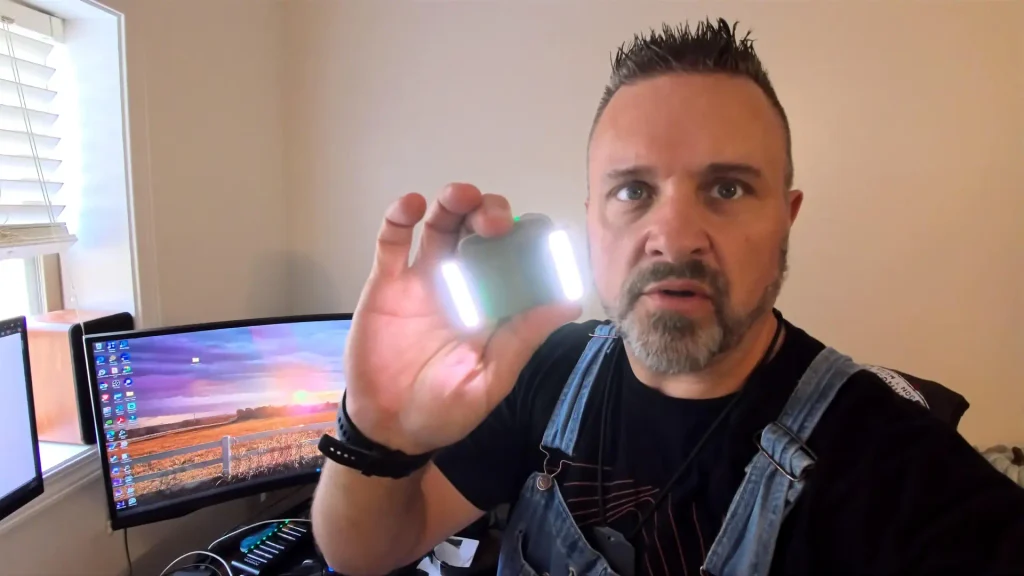
[image: dji-om-fill-light-clamp-led-bars-turned-on.webp]
Both bars on. Small, but they punch more than the size suggests in a dim room.
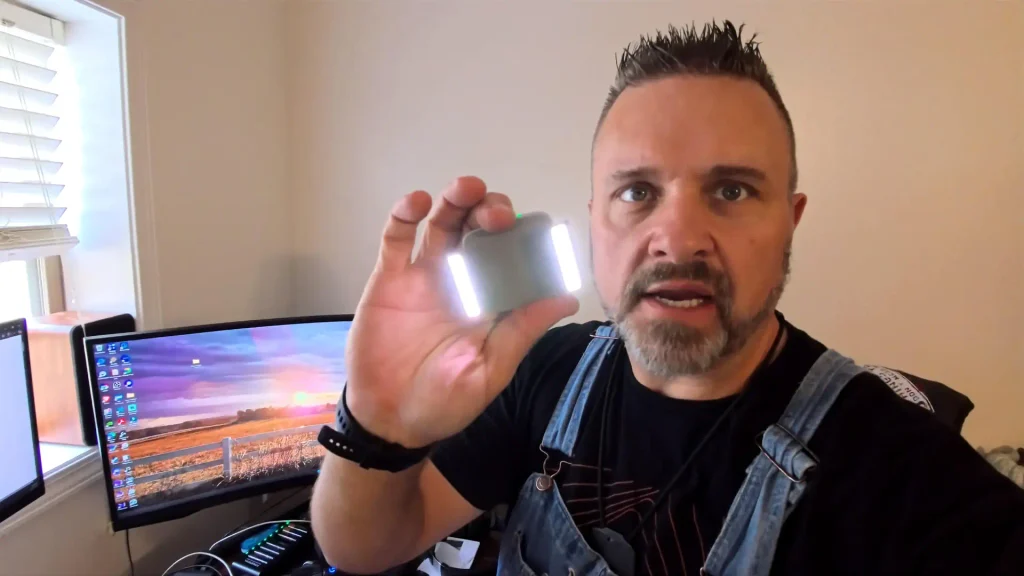
[image: dji-om-fill-light-clamp-high-brightness-led-bars.webp]
Highest brightness in the office. Green status LED on top of the body.
What Amazon Reviewers Are Saying
The pattern is pretty consistent across the official DJI listings.
What people like
- Build quality that feels like the rest of the Osmo kit, not a no-name clip.
- Magnetic swap is fast. Several owners say they leave this clamp on and park the stock one.
- Three temps and three brightness steps cover most indoor talking-head work.
- Battery lasts a session at mid power. USB-C recharge is short.
- Brighter than the size suggests for faces and product close-ups.
What people complain about
- Price. It is a small accessory and it is not cheap next to generic phone lights.
- Output is fill, not a scene light. A few buyers expected a mini Aputure and were disappointed.
- Magnets. Keep it off credit cards, hard drives, and pacemakers. Some phones ask for a compass calibration after you mount it.
- It does not ship with a USB-C cable in the box. Plan on using one you already own.
Our take after lining those threads up with the desk test: if you already own an Osmo Mobile and film people or products in mixed indoor light, this clamp earns the magnet. If you need to light a whole shop bay, buy a real panel.
[image: ryan-testing-dji-om-fill-light-clamp-on-gimbal.webp]
Mounted and ready. This is how it rides for a talking-head or product walkaround.
What We Like
- Snaps onto the same magnetic mount as the stock Osmo clamp.
- Two side LED bars, three brightness steps, three color temps.
- USB-C charge. No proprietary puck.
- Light enough that the gimbal does not feel drunk after the swap.
- Small enough to live in the camera bag instead of a light case.
What to Know Before You Buy
- This replaces the stock magnetic phone clamp. You are not stacking two clamps.
- Output is 20–40 lux at about two feet. Treat it as fill on a face or a product, not a room light.
- Some phones will nag you to calibrate the compass after you mount it. That is the magnet, not a defect.
- Keep it away from cards, mechanical watches, and anything else magnets ruin.
- Check your Osmo generation against the listing. Newer Osmo Mobile 7/8 bodies are on the current compatibility list; confirm before you order.
Who This Is For
- Anyone already shooting reviews or vlogs on an Osmo Mobile who keeps losing the last hour of daylight.
- Homestead and shop creators who film talking-head clips in barns, kitchens, and offices with mixed bulbs.
- People who want one less stand to drag outside.
- Not for full interview kits or product tables that need a key and a rim.
Backroad Verdict
We clipped it on, turned the bars up, and filmed. For a 73-gram magnet that lives on the gimbal, it does the job we bought it for: take the cave look off a face when the shop lights are wrong and you are already rolling.
It will not light a Predator generator in the driveway at dusk. It will keep a phone review from looking like a hostage tape. That is the honest split.
If you already run an Osmo Mobile and you film after the sun drops or under ugly indoor bulbs, this is an easy yes. Swap the stock clamp, charge it once, and leave it on the gimbal.
Amazon Affiliate Link: DJI OM Fill Light Phone Clamp — https://amzn.to/3SAEmXH
Affiliate links support Backroad Reviews at no extra cost to you. As an Amazon Associate, we earn from qualifying purchases.
Quick Specs From the Desk
- Brand / model: DJI OM Fill Light Phone Clamp (CP.OS.00000173.01)
- Weight: 73 g
- Size: 74.13 × 53 × 26.55 mm folded; 105.91 × 53 × 26.55 mm open
- Color temps: 2700K warm, 3500K neutral, 5000K daylight
- Brightness: 3 levels
- Output (DJI): 20–40 lux @ 0.6 m
- Battery: ~1.5 hr max / ~3 hr min
- Charge: USB-C, about 35 minutes
- Mount: magnetic phone clamp for Osmo Mobile / OM series
- Watch-outs: magnets vs cards and compass; fill light only; cable not in the box